Short answer
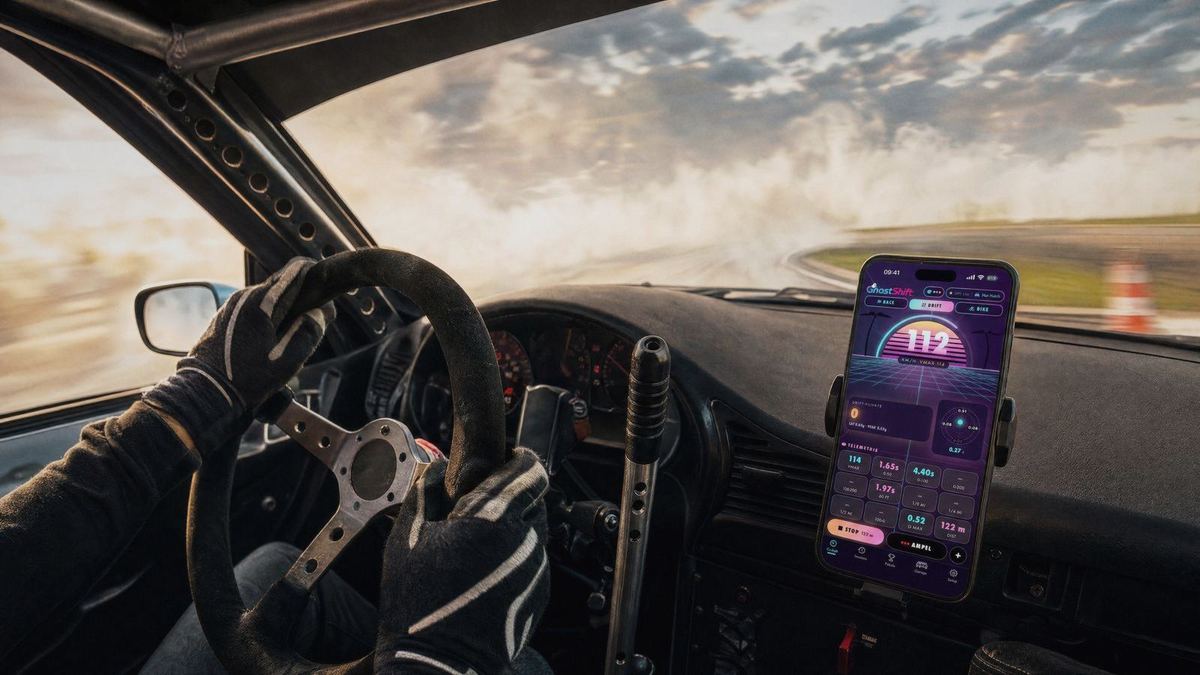
For timing with GhostShift, the phone must be rigidly attached to the vehicle; if it moves, the motion sensors record the phone, not the car, and the time is worthless. Use a solid mount with a clear view of the sky, out of direct sun (Apple's operating range: 32 to 95 °F). On motorcycles, Apple warns about vibration.
Why a rigid mount decides the quality of a run
The motion sensors in an iPhone measure the iPhone's movement, not the car's. The two are only the same when the phone is firmly attached to the vehicle. If it slides around a cup holder, tilts in a wobbly clamp or lies on the passenger seat, its own movement gets added to the car's.
Research on smartphone-based vehicle telematics describes exactly this problem. A review covering ten years of research notes that position and velocity estimates are reliable as long as the smartphone remains fixed to the vehicle1. The phone's orientation relative to the car can change at any time during a trip, for example when someone picks it up1. Some systems therefore discard the motion data entirely while the phone is moving relative to the vehicle1.
Sensor quality adds to this. The authors place smartphone inertial sensors in the lowest grade of inertial sensors, the commercial grade1. All the more reason not to feed them extra disturbance from a loose mount. How the accelerometer, gyroscope and GPS work together is covered in the guide to iPhone sensors.
The shake test: 6 checks before your first run
A quick test with the car parked tells you whether a mount is good enough before you head onto the course. It takes two minutes:
- Shake it. Grab the iPhone and try to move it. It must not rotate, tilt or shift in the mount.
- Tap it. Tap the dashboard next to the mount's base with a finger. If the phone visibly keeps wobbling, the arm is too long or the joint too soft.
- Lock the joints. Tighten ball joints and swivel arms once the phone is aligned. A joint you can turn by hand will also turn under braking.
- Check the suction cup. Suction cups hold best on clean, smooth glass. Press it down again after heat or cold, since a cup can lose grip over the day.
- Mind the case. A thick or soft case can give way inside a clamp. If in doubt, test without it or with a rigid case.
- Secure the cable. A charging cable that pulls or swings transfers movement. Route it so it hangs slack and can't catch on anything.
After that, leave it alone. Adjust the mount between two runs and you are comparing two different setups.
Where to put it in a car: see the sky, keep your view clear
The best spot is as far forward and as high as possible without blocking your view. GPS needs a clear view of the sky. According to GPS.gov, GPS-enabled smartphones are typically accurate to within 4.9 m (16 ft) under open sky, and accuracy worsens near buildings, bridges and trees2. GPS.gov lists blocked satellite signals and signals reflected off walls among the common causes of error2. Inside a car, the roof blocks part of the sky and the windshield opens it up.
At the same time, the mount must not obstruct your view. UK guidance, for example, says a phone used as a sat nav must be in a holder and must not block your view of the road and traffic ahead5. That applies on the drive to the track, too.
| Position | Sky view | Rigidity | Heat | Watch out for |
|---|---|---|---|---|
| Windshield, suction cup | good | good with a short arm | direct sun on the phone | Keep it out of your sight line, re-press the cup |
| Top of the dashboard, adhesive or suction base | good | good on a hard surface | direct sun on the phone | Soft surfaces give way |
| Air vent, clip | medium | depends on the vent | cool in the airflow | Vanes can flex, the shake test matters |
| Center console, cup-holder adapter | poor | often not very firm | usually cool | Low under the roof, weaker reception |
The table is a judgement, not a measurement, and every car is different. If GhostShift's GPS badge doesn't turn green in one position, try another. Under bridges and in parking garages the app deliberately records no times.

Key figuresSky, heat, vibration: three limits on where the iPhone goes
Heat: sun through the windshield and charging on the move
An iPhone in a mount gets warm, and on timed runs that is normal. Apple designs iPhones for ambient temperatures of 32 to 95 °F (0 to 35 °C)3. When the device gets too hot, charging, including wireless charging, slows or stops, and the display dims3. Apple specifically advises against extended use in direct sunlight, such as GPS navigation in a car3. A parked car can also get hotter than that range, so don't leave the phone in it3.
On a timed run several heat sources stack up: GPS at high precision, the display on, often charging, and sun through the glass. What helps:
- Put the mount in the vent airflow, or aim a vent at the phone.
- Avoid direct sun and shade the phone between runs.
- No wireless charging while driving. If you need power, use a cable.
- On hot days and long drives, pick Relaxed (10 Hz) under Setup › Measuring rate in GhostShift; launch times suffer a little. Maximum (50 Hz) is meant for launch and drag runs and uses the most energy.
If it still gets too hot, wait until the iPhone has cooled down before the next run.
Portrait or landscape: pick one and stick with it
Portrait and landscape both work, and every GhostShift design has a landscape layout. What matters is not which one, but that it stays the same. Runs are comparable when they share the same mount, position and orientation.
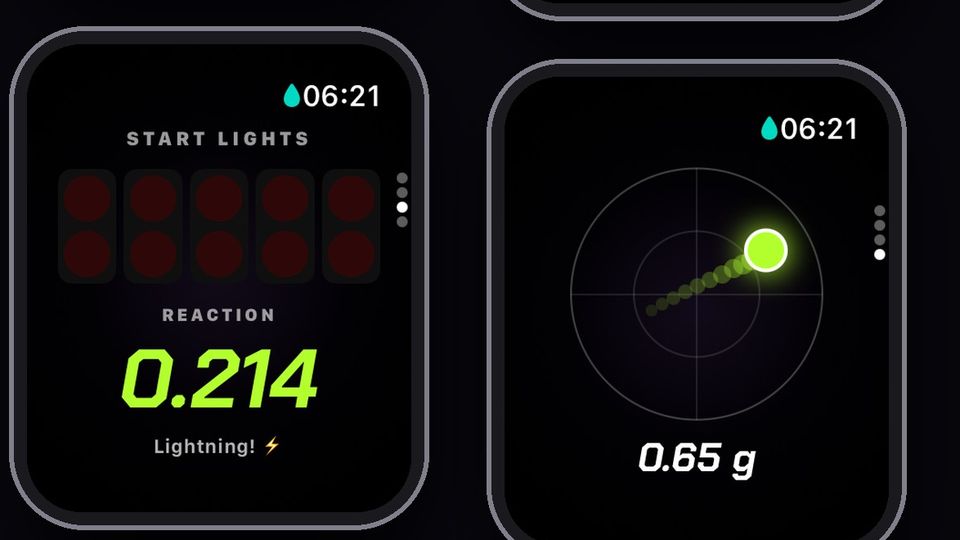
Angle the screen so you can read it at a glance without turning your head. There is nothing to operate while driving: nothing gets tapped in GhostShift, and your times are on screen after the run. With Apple Watch you also get the numbers on your wrist, but the iPhone always does the measuring.
Motorcycles, karts and ATVs: vibration and the iPhone camera
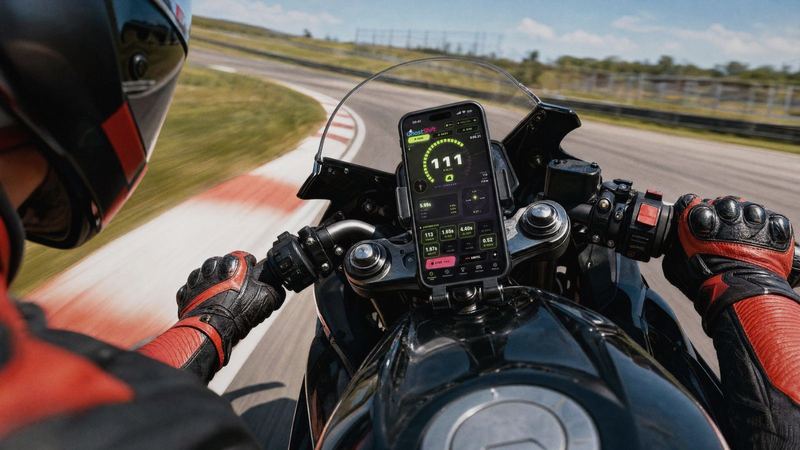
On a motorcycle, rigidity has company: vibration. Apple warns that high-power or high-volume motorcycle engines generate intense, high-amplitude vibrations that travel through the chassis and handlebars4. Long exposure to such vibrations in certain frequency ranges can degrade the camera's optical image stabilisation and autofocus4. Optical image stabilisation is found on iPhone 7 and later among others, closed-loop autofocus on iPhone XS and later4.
Apple's recommendation is clear: don't attach an iPhone to motorcycles with high-power or high-volume engines4. For vehicles with small or electric engines, such as mopeds and scooters, Apple recommends a vibration-dampening mount or a gimbal, and still advises against regular use over long periods4. If you time runs on a motorcycle anyway, make that a conscious decision and keep the exposure short.
For the timing itself the same rules apply as in a car, with one twist. A handlebar mount turns with the steering; a mount on the frame, tank or fairing does not. If you have the choice, mount the phone on a part that doesn't steer, so it follows the bike rather than the bars. The guide to lean angle goes deeper.

Karts, pit bikes, supermotos, ATVs and buggies work with anything that takes a solid mount. Apple doesn't name these vehicles explicitly, but where an engine shakes hard, a dampening mount is the obvious choice. The one hard requirement is open sky: GPS has no reception in indoor kart halls. Everything else for the kart track is in the guide to lap timing at the kart track.
The law: the phone stays in the mount while you drive
Timed runs happen on a closed course with the operator's permission. On public roads on the way there, traffic law applies, and many jurisdictions restrict handling a phone while driving. In the UK, for example, it is illegal to hold and use a phone, sat nav or any device that can send or receive data while driving or riding5. Hands-free use is allowed as long as you don't hold the device at any time5. Check the rules where you drive.
With a rigid mount, open sky and a cool phone, the most important part of the preparation is done. Next steps are in the core guide measuring 0-60 with your phone and the checklist for your first track day. All timing modes are on the Timing page.
FAQ
Can I just put my iPhone in the cup holder to time a run?
No. Loose in a cup holder, on a seat or in your hand, the phone moves relative to the car and the motion sensors pick up that movement. For usable times the iPhone has to sit firmly in a mount.
Are suction-cup mounts allowed at track days?
The organiser decides; there is no general rule. Check the event rules or ask before the day whether and where a phone mount is allowed. A phone that comes loose under hard braking becomes a projectile, so any mount should pass the shake test before your first session.
Can I mount my iPhone on my motorcycle?
Apple recommends against attaching an iPhone to motorcycles with high-power or high-volume engines, because strong vibration can degrade the camera's image stabilisation and autofocus. For mopeds and scooters, Apple recommends a vibration-dampening mount or a gimbal. The decision is yours.
Why does my iPhone get so warm in the mount?
GPS, the display, charging and sun through the windshield all add up. Apple gives 32 to 95 °F (0 to 35 °C) as the ambient operating range. A mount in the vent airflow, no direct sun and no wireless charging while driving help most.
Can I use the app while driving?
No. Many places ban holding a phone while driving; in the UK, for example, it is illegal to hold and use one. In GhostShift there is nothing to tap while you drive, and your times are on screen after the run.
Sources
- Wahlström, Skog, Händel: Smartphone-based Vehicle Telematics – A Ten-Year Anniversary – arXiv 1611.03618, Nov 11, 2016
- GPS Accuracy – GPS.gov (U.S. government), last modified Mar 3, 2022
- If your iPhone or iPad gets too hot or too cold – Apple Support
- Exposure to vibrations, like those generated by high-powered motorcycle engines, might impact iPhone cameras – Apple Support, Nov 1, 2023
- Using your phone while driving: the law – GOV.UK
GhostShift is not a calibrated or certified instrument: every value is an estimate from your iPhone's sensors. Only do timed runs on a closed course with the operator's permission.